> ## Documentation Index
> Fetch the complete documentation index at: https://docs-staging-docs-add-auth0-cli-management-api-examples.mintlify.site/llms.txt
> Use this file to discover all available pages before exploring further.

# Telegram

> Découvrez comment configurer vos actions de flux Telegram pour envoyer des messages.

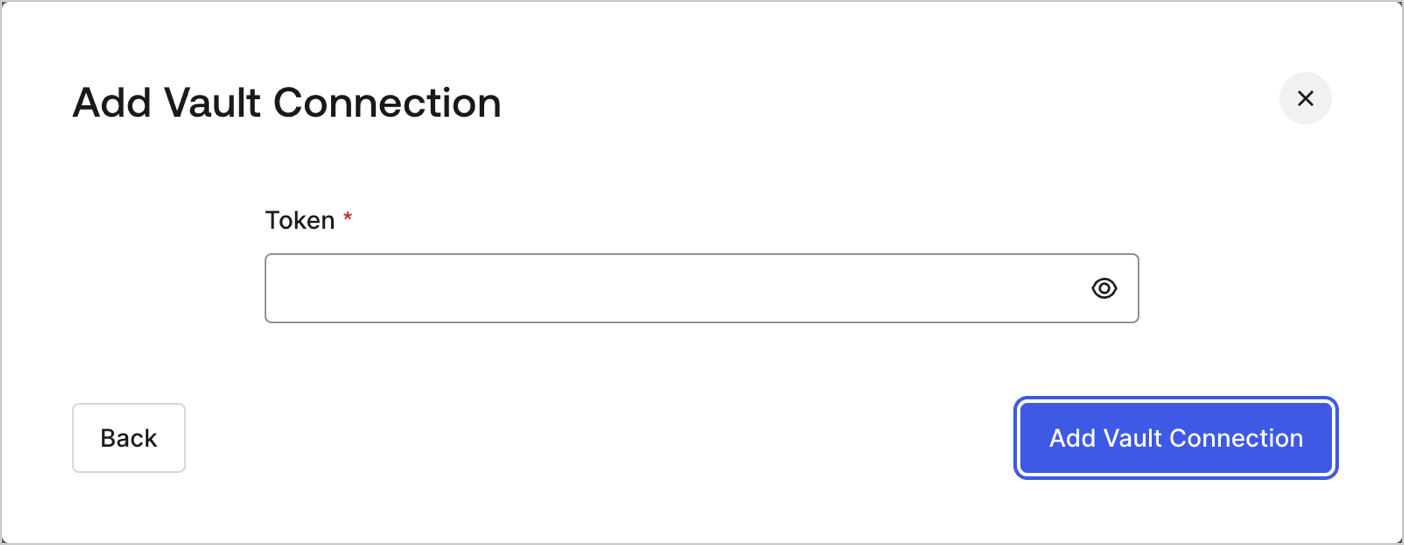
## Configurer la connexion à votre coffre-fort

Pour configurer une connexion au coffre-fort pour vos actions Telegram, vous aurez besoin d’un **jeton** :
<Frame>
  <img src="https://mintcdn.com/docs-staging-docs-add-auth0-cli-management-api-examples/ZyxfhcZYtAVdzXzy/docs/images/fr-ca/cdy7uua7fh8z/21Q1BjBAgDHxVR0YgAqedA/fcd1c5dfbd5c6f6fe8d9ea4c951efcb3/whatsapp-vault-connection.png?fit=max&auto=format&n=ZyxfhcZYtAVdzXzy&q=85&s=88fc905b2c470835a9f6ae101d312c76" alt="Dashboard > Actions > Forms > Flows > actions > Telegram" data-og-width="1404" width="1404" data-og-height="545" height="545" data-path="docs/images/fr-ca/cdy7uua7fh8z/21Q1BjBAgDHxVR0YgAqedA/fcd1c5dfbd5c6f6fe8d9ea4c951efcb3/whatsapp-vault-connection.png" data-optimize="true" data-opv="3" srcset="https://mintcdn.com/docs-staging-docs-add-auth0-cli-management-api-examples/ZyxfhcZYtAVdzXzy/docs/images/fr-ca/cdy7uua7fh8z/21Q1BjBAgDHxVR0YgAqedA/fcd1c5dfbd5c6f6fe8d9ea4c951efcb3/whatsapp-vault-connection.png?w=280&fit=max&auto=format&n=ZyxfhcZYtAVdzXzy&q=85&s=bde60671cb9a03e387222af958abd94a 280w, https://mintcdn.com/docs-staging-docs-add-auth0-cli-management-api-examples/ZyxfhcZYtAVdzXzy/docs/images/fr-ca/cdy7uua7fh8z/21Q1BjBAgDHxVR0YgAqedA/fcd1c5dfbd5c6f6fe8d9ea4c951efcb3/whatsapp-vault-connection.png?w=560&fit=max&auto=format&n=ZyxfhcZYtAVdzXzy&q=85&s=b70cff39077cd5da6538a7c82989c0a1 560w, https://mintcdn.com/docs-staging-docs-add-auth0-cli-management-api-examples/ZyxfhcZYtAVdzXzy/docs/images/fr-ca/cdy7uua7fh8z/21Q1BjBAgDHxVR0YgAqedA/fcd1c5dfbd5c6f6fe8d9ea4c951efcb3/whatsapp-vault-connection.png?w=840&fit=max&auto=format&n=ZyxfhcZYtAVdzXzy&q=85&s=8f134fc42b99d05f167bdd6fcd2aec23 840w, https://mintcdn.com/docs-staging-docs-add-auth0-cli-management-api-examples/ZyxfhcZYtAVdzXzy/docs/images/fr-ca/cdy7uua7fh8z/21Q1BjBAgDHxVR0YgAqedA/fcd1c5dfbd5c6f6fe8d9ea4c951efcb3/whatsapp-vault-connection.png?w=1100&fit=max&auto=format&n=ZyxfhcZYtAVdzXzy&q=85&s=12cf47f00c2b2c0014662cf026e58a94 1100w, https://mintcdn.com/docs-staging-docs-add-auth0-cli-management-api-examples/ZyxfhcZYtAVdzXzy/docs/images/fr-ca/cdy7uua7fh8z/21Q1BjBAgDHxVR0YgAqedA/fcd1c5dfbd5c6f6fe8d9ea4c951efcb3/whatsapp-vault-connection.png?w=1650&fit=max&auto=format&n=ZyxfhcZYtAVdzXzy&q=85&s=6da8afff7dcf60111ea26959de6e81dc 1650w, https://mintcdn.com/docs-staging-docs-add-auth0-cli-management-api-examples/ZyxfhcZYtAVdzXzy/docs/images/fr-ca/cdy7uua7fh8z/21Q1BjBAgDHxVR0YgAqedA/fcd1c5dfbd5c6f6fe8d9ea4c951efcb3/whatsapp-vault-connection.png?w=2500&fit=max&auto=format&n=ZyxfhcZYtAVdzXzy&q=85&s=f5a0d24e741c59a77ff2ced13e452dbc 2500w" />
</Frame>

Pour savoir comment générer un jeton, lisez l’article [API Bot de Telegram](https://core.telegram.org/#bot-api).

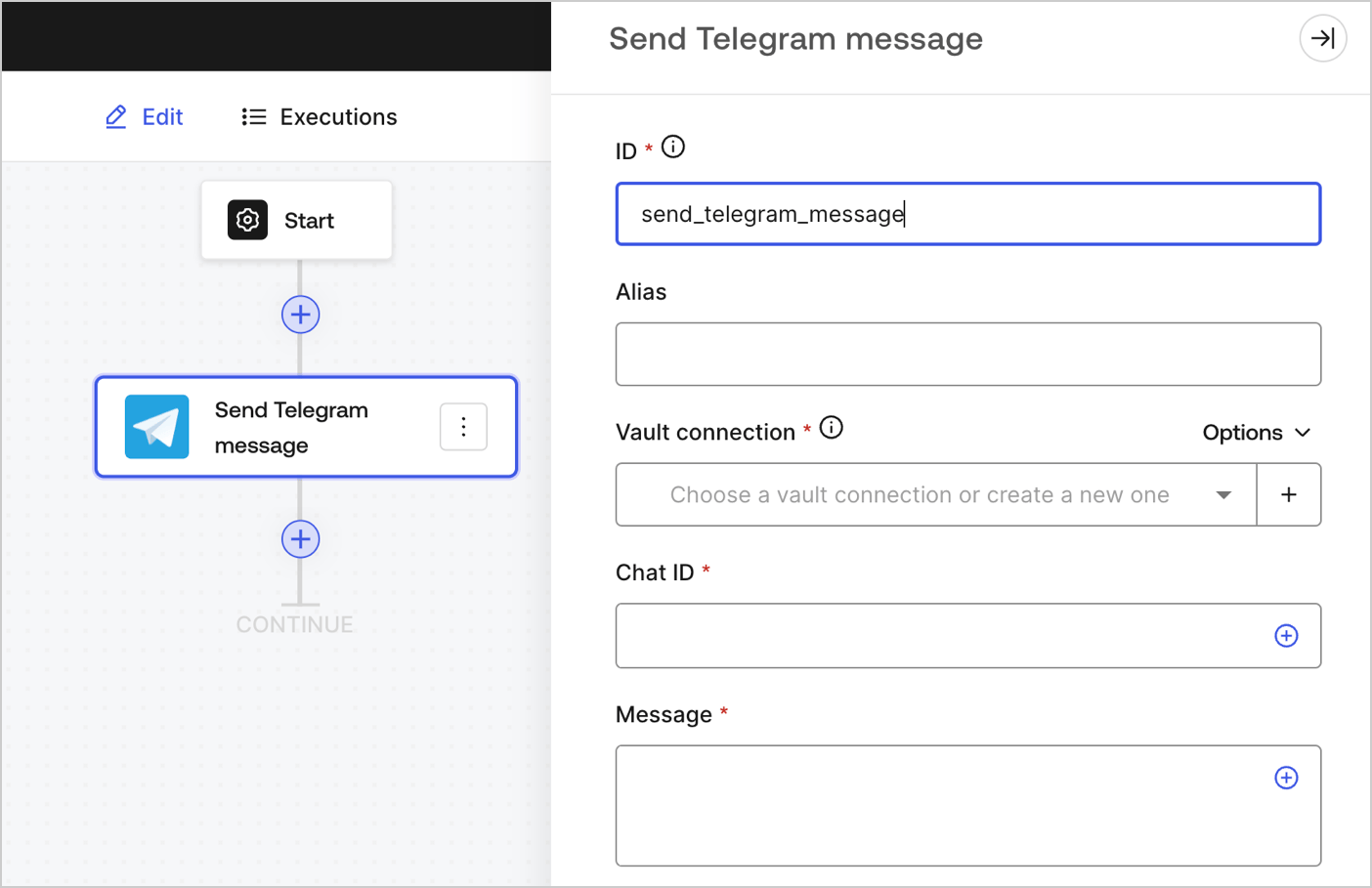
## Envoyer un message Telegram

Envoyer un message à un clavardage Telegram
<Frame>
  <img src="https://mintcdn.com/docs-staging-docs-add-auth0-cli-management-api-examples/4zfukRD9okFB76wn/docs/images/fr-ca/cdy7uua7fh8z/kgSIPsWN5djsT1yQqg5Z8/fea0821d0e919c5101d01b84b968dd53/sendtelegrammessage.png?fit=max&auto=format&n=4zfukRD9okFB76wn&q=85&s=425fe272419b9338f7c8962e103c9147" alt="" width="1404" height="909" data-path="docs/images/fr-ca/cdy7uua7fh8z/kgSIPsWN5djsT1yQqg5Z8/fea0821d0e919c5101d01b84b968dd53/sendtelegrammessage.png" />
</Frame>

### Paramètres de saisie

| Paramètre                | Description                                                                                                |
| ------------------------ | ---------------------------------------------------------------------------------------------------------- |
| ID de chat (obligatoire) | L’ID de chat Telegram. Doit être obtenu auprès du [Telegram’s Bot Father](https://core.telegram.org/bots). |
| Messages (obligatoire)   | Le contenu du corps du message Telegram.                                                                   |

### Paramètres de sortie

Vous trouverez les codes de réponse et d’état attendus dans la [documentation de Telegram](https://core.telegram.org/method/messages.sendMessage).
