> ## Documentation Index
> Fetch the complete documentation index at: https://docs-staging-docs-add-auth0-cli-management-api-examples.mintlify.site/llms.txt
> Use this file to discover all available pages before exploring further.

# Requête HTTP

> Découvrez comment configurer vos actions de flux de requêtes HTTP pour envoyer des requêtes personnalisées à des services ou à des API externes.

## Configurer la connexion à votre coffre-fort

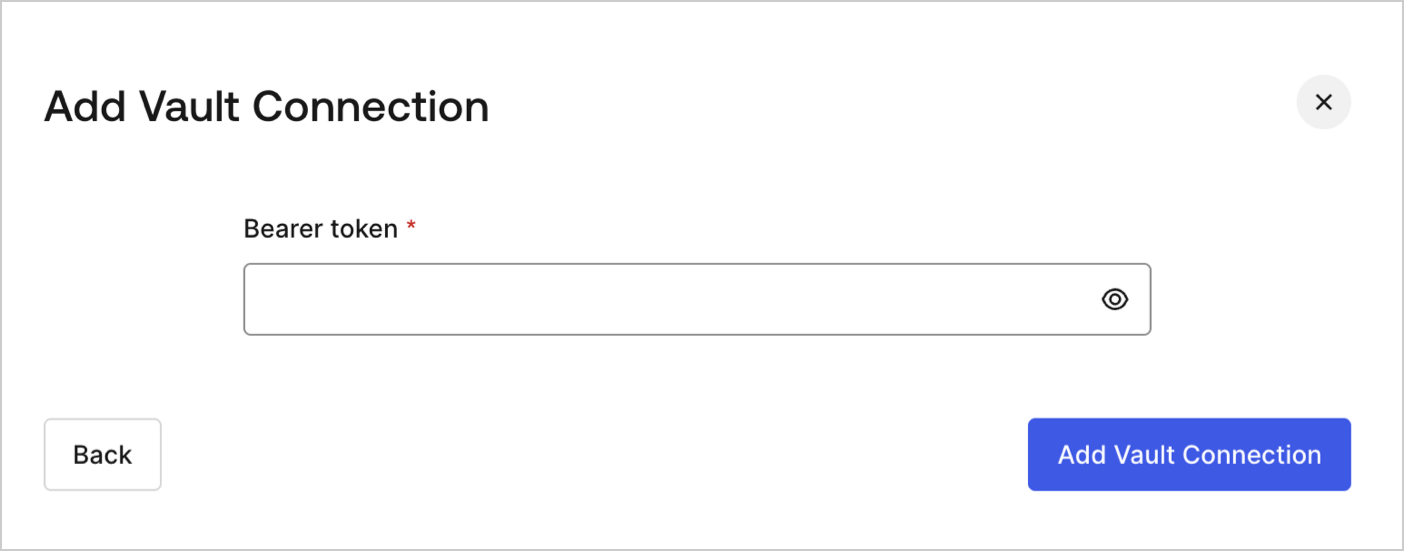
Pour configurer une connexion au coffre-fort pour vos actions de requête HTTP, vous aurez besoin d’un **jeton du porteur** :
<Frame>
  <img src="https://mintcdn.com/docs-staging-docs-add-auth0-cli-management-api-examples/ZUC7zHJNUlK_us_d/docs/images/fr-ca/cdy7uua7fh8z/3X0Qbe9o1bx8q9ctxYZTO2/468b4d9b81bad93ab38b0b01dc773788/http-vault-connection.png?fit=max&auto=format&n=ZUC7zHJNUlK_us_d&q=85&s=7370c5bbc3b9a2778c44955afd9c7791" alt="Dashboard > Actions > Forms > Flows > Actions > HTTP Request " data-og-width="1404" width="1404" data-og-height="551" height="551" data-path="docs/images/fr-ca/cdy7uua7fh8z/3X0Qbe9o1bx8q9ctxYZTO2/468b4d9b81bad93ab38b0b01dc773788/http-vault-connection.png" data-optimize="true" data-opv="3" srcset="https://mintcdn.com/docs-staging-docs-add-auth0-cli-management-api-examples/ZUC7zHJNUlK_us_d/docs/images/fr-ca/cdy7uua7fh8z/3X0Qbe9o1bx8q9ctxYZTO2/468b4d9b81bad93ab38b0b01dc773788/http-vault-connection.png?w=280&fit=max&auto=format&n=ZUC7zHJNUlK_us_d&q=85&s=2f0a26967c98204bf6398b775671d398 280w, https://mintcdn.com/docs-staging-docs-add-auth0-cli-management-api-examples/ZUC7zHJNUlK_us_d/docs/images/fr-ca/cdy7uua7fh8z/3X0Qbe9o1bx8q9ctxYZTO2/468b4d9b81bad93ab38b0b01dc773788/http-vault-connection.png?w=560&fit=max&auto=format&n=ZUC7zHJNUlK_us_d&q=85&s=8ba5a77944dc6eca7079e8e3034c68c1 560w, https://mintcdn.com/docs-staging-docs-add-auth0-cli-management-api-examples/ZUC7zHJNUlK_us_d/docs/images/fr-ca/cdy7uua7fh8z/3X0Qbe9o1bx8q9ctxYZTO2/468b4d9b81bad93ab38b0b01dc773788/http-vault-connection.png?w=840&fit=max&auto=format&n=ZUC7zHJNUlK_us_d&q=85&s=c8124c563ec0bc5becd22d42faae2a05 840w, https://mintcdn.com/docs-staging-docs-add-auth0-cli-management-api-examples/ZUC7zHJNUlK_us_d/docs/images/fr-ca/cdy7uua7fh8z/3X0Qbe9o1bx8q9ctxYZTO2/468b4d9b81bad93ab38b0b01dc773788/http-vault-connection.png?w=1100&fit=max&auto=format&n=ZUC7zHJNUlK_us_d&q=85&s=0e8c97cbebbfb8fd27fc40956953fba0 1100w, https://mintcdn.com/docs-staging-docs-add-auth0-cli-management-api-examples/ZUC7zHJNUlK_us_d/docs/images/fr-ca/cdy7uua7fh8z/3X0Qbe9o1bx8q9ctxYZTO2/468b4d9b81bad93ab38b0b01dc773788/http-vault-connection.png?w=1650&fit=max&auto=format&n=ZUC7zHJNUlK_us_d&q=85&s=cb8de53d124ff0688ff7a280ee0cf8e6 1650w, https://mintcdn.com/docs-staging-docs-add-auth0-cli-management-api-examples/ZUC7zHJNUlK_us_d/docs/images/fr-ca/cdy7uua7fh8z/3X0Qbe9o1bx8q9ctxYZTO2/468b4d9b81bad93ab38b0b01dc773788/http-vault-connection.png?w=2500&fit=max&auto=format&n=ZUC7zHJNUlK_us_d&q=85&s=683cf8347601a71abaab8055f7643b2b 2500w" />
</Frame>

## Requête HTTP

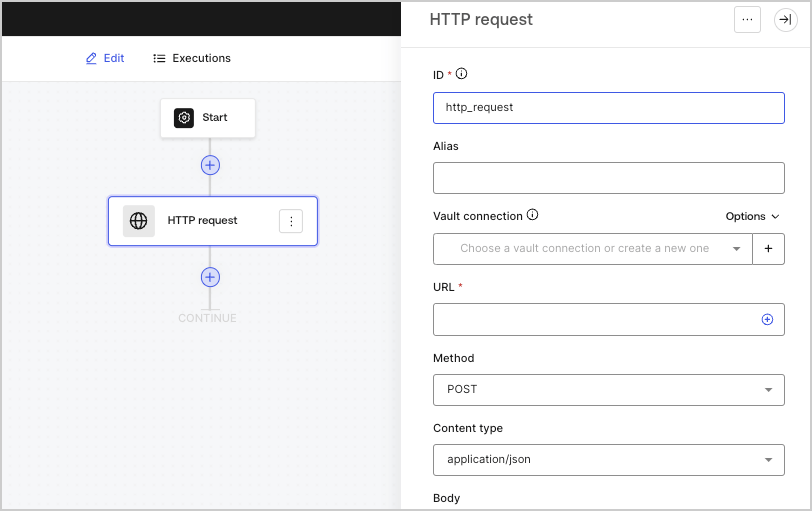
L’action de requête HTTP vous permet d’appeler un service ou une API externe et de traiter la réponse.
<Frame>
  <img src="https://mintcdn.com/docs-staging-docs-add-auth0-cli-management-api-examples/SnNqnTH8RY9GVy-E/docs/images/fr-ca/cdy7uua7fh8z/6eIOv07XenyaazzKixigei/2e9efd632137829a8ddb03aacd3197df/http-request-action.png?fit=max&auto=format&n=SnNqnTH8RY9GVy-E&q=85&s=dadd62eab172a7d41532520f964b8a9e" alt="" width="812" height="511" data-path="docs/images/fr-ca/cdy7uua7fh8z/6eIOv07XenyaazzKixigei/2e9efd632137829a8ddb03aacd3197df/http-request-action.png" />
</Frame>

### Paramètres de saisie

| Paramètre                          | Description                                                                                                                                                                     |
| ---------------------------------- | ------------------------------------------------------------------------------------------------------------------------------------------------------------------------------- |
| Méthode                            | La méthode HTTP. Les valeurs disponibles comprennent : <ul> <li>`GET`</li> <li>`POST`</li> <li>`PUT`</li> <li>`PATCH`</li> <li>`DELETE`</li> </ul>                              |
| Type de contenu                    | L’en-tête `Content-Type`. Les valeurs disponibles comprennent : <ul> <li>`application/json`</li> <li>`application/x-www-form-urlenconded`</li> <li>`application/xml`</li> </ul> |
| Corps                              | Le corps de la demande.                                                                                                                                                         |
| En-têtes                           | En-têtes de la demande.                                                                                                                                                         |
| Paramètres d’URL                   | Les paramètres d’URL. Ces paramètres seront automatiquement encodés URL.                                                                                                        |
| Activer l’authentification de base | Permet l’authentification avec nom d’utilisateur et mot de passe.                                                                                                               |

### Objet de sortie

| Propriété | Type    | Description                                                   |
| --------- | ------- | ------------------------------------------------------------- |
| `headers` | Objet   | Les en-têtes de la réponse.                                   |
| `body`    | Objet   | Le corps de la demande.                                       |
| `status`  | Nombre  | The code d’état de la réponse.                                |
| `success` | Booléen | Renvoie `true` ou `false` basé sur le `status` de la réponse. |

### Exemple d’objet de sortie

```javascript lines theme={null}
{
  "headers": {
    ...
  },
  "status": 200,
  "body": {
    ...
  },
  "success": true
}
```
