> ## Documentation Index
> Fetch the complete documentation index at: https://docs-staging-docs-add-auth0-cli-management-api-examples.mintlify.site/llms.txt
> Use this file to discover all available pages before exploring further.

> Learn how to configure your JWT Connection to sign, verify or decode JSON Web Tokens.

# JWT Vault Connection

## Configure your JWT Vault connection

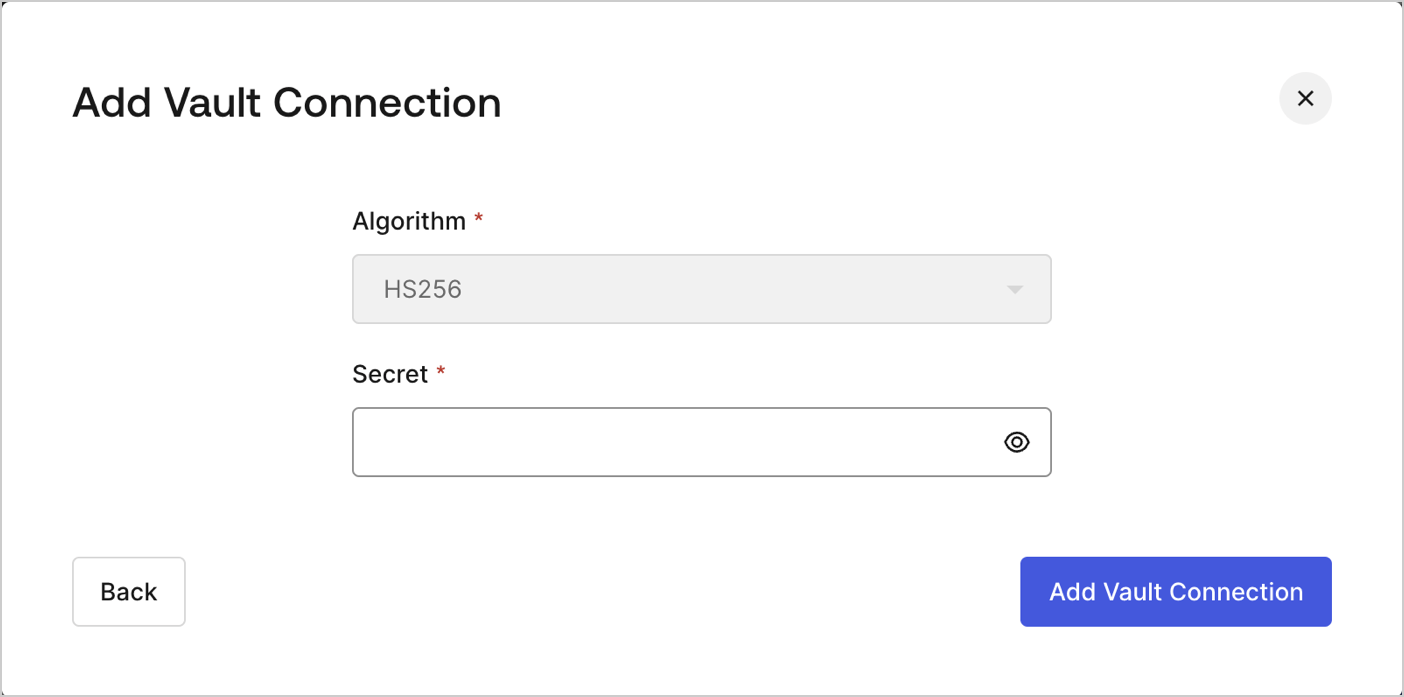
To configure an JWT Vault Connection for your Flows JWT Actions to sign, decode, and verify JSON Web Tokens, you need to set the required parameters.
<Frame>
  <img src="https://mintcdn.com/docs-staging-docs-add-auth0-cli-management-api-examples/9uxJKmcIneYMrYYY/docs/images/customize/forms/vaults/jwt-vault-connection.png?fit=max&auto=format&n=9uxJKmcIneYMrYYY&q=85&s=86386ce278880b8c43fdbcf87f68b2d5" alt="Dashboard > Actions > Forms > Vault > JWT" data-og-width="1404" width="1404" data-og-height="697" height="697" data-path="docs/images/customize/forms/vaults/jwt-vault-connection.png" data-optimize="true" data-opv="3" srcset="https://mintcdn.com/docs-staging-docs-add-auth0-cli-management-api-examples/9uxJKmcIneYMrYYY/docs/images/customize/forms/vaults/jwt-vault-connection.png?w=280&fit=max&auto=format&n=9uxJKmcIneYMrYYY&q=85&s=96551fa706be8315a28fd0740dea92ea 280w, https://mintcdn.com/docs-staging-docs-add-auth0-cli-management-api-examples/9uxJKmcIneYMrYYY/docs/images/customize/forms/vaults/jwt-vault-connection.png?w=560&fit=max&auto=format&n=9uxJKmcIneYMrYYY&q=85&s=64fc203c6b78dd35fc86ae318b48602c 560w, https://mintcdn.com/docs-staging-docs-add-auth0-cli-management-api-examples/9uxJKmcIneYMrYYY/docs/images/customize/forms/vaults/jwt-vault-connection.png?w=840&fit=max&auto=format&n=9uxJKmcIneYMrYYY&q=85&s=312e5e0f228db06b0db57e05aa1d37f9 840w, https://mintcdn.com/docs-staging-docs-add-auth0-cli-management-api-examples/9uxJKmcIneYMrYYY/docs/images/customize/forms/vaults/jwt-vault-connection.png?w=1100&fit=max&auto=format&n=9uxJKmcIneYMrYYY&q=85&s=647d7827536d37dbd067ec526789c0fd 1100w, https://mintcdn.com/docs-staging-docs-add-auth0-cli-management-api-examples/9uxJKmcIneYMrYYY/docs/images/customize/forms/vaults/jwt-vault-connection.png?w=1650&fit=max&auto=format&n=9uxJKmcIneYMrYYY&q=85&s=72bdc60db9fbdca3423487efe058874b 1650w, https://mintcdn.com/docs-staging-docs-add-auth0-cli-management-api-examples/9uxJKmcIneYMrYYY/docs/images/customize/forms/vaults/jwt-vault-connection.png?w=2500&fit=max&auto=format&n=9uxJKmcIneYMrYYY&q=85&s=4c75638b99ee335b009650515d0b6ea6 2500w" />
</Frame>

## Input settings

| Parameter | Description                                                 |
| --------- | ----------------------------------------------------------- |
| Secret    | Secret to be used in the HS256 algorithm to encode the JWT. |
