> ## Documentation Index
> Fetch the complete documentation index at: https://docs-staging-docs-add-auth0-cli-management-api-examples.mintlify.site/llms.txt
> Use this file to discover all available pages before exploring further.

> Learn how to use variables to access and transform user data in Forms and Flows.

# Variables and helper functions

Variables allow you to access data contained in Forms and Flows to create custom business logic and automations.

Some basic considerations to using variables are:

* Variables are surrounded by curly brackets `{{ variable }}`.
* If a variable doesn't exist or can't be resolved, it has the same effect as an `undefined` variable.
* You can use nullish operators to handle `null` or `undefined` variables, for example:`{{fields.foo ?? fields.bar}}`.

## Available variables

You can use different types of variables to reference and transform data you gather from customers with Forms and Flows.

| Variable            | Syntax            | Where         | Description                                                      |
| ------------------- | ----------------- | ------------- | ---------------------------------------------------------------- |
| Context             | `{{context.*}}`   | Forms / Flows | Reference context data of the current transaction                |
| Form fields         | `{{fields.*}}`    | Forms / Flows | Reference data from your form fields and hidden fields           |
| Shared variables    | `{{vars.*}}`      | Forms / Flows | Reference data stored as shared variables                        |
| Flow actions output | `{{actions.*}}`   | Flows         | Reference data from the output response of previous flow actions |
| Helper functions    | `{{functions.*}}` | Forms / Flows | Helper functions to transform data                               |

### Context variables

Forms and flows automatically inherit context variables from the current transaction. You can access the following context variables:

* The `user` object, with access to the following properties:

  * `user.user_id`
  * `user.username`
  * `user.name`
  * `user.given_name`
  * `user.family_name`
  * `user.nickname`
  * `user.email`
  * `user.email_verified`
  * `user.phone_number`
  * `user.phone_verified`
  * `user.picture`
  * `user.user_metadata`
  * `user.app_metadata`
  * `user.created_at`
  * `user.updated_at`
  * `user.last_password_reset`
  * `user.identities`
* The `organization` object, with access to the following properties:

  * `organization.id`
  * `organization.name`
  * `organization.display_name`
  * `organization.metadata`
* The `client` object, with access to the following properties:

  * `client.client_id`
  * `client.name`
* The `tenant` object, with access to the following property:

  * `tenant.name`
* The `transaction` object, with access to the following property:

  * `transaction.state`
  * `transaction.correlation_id`
* The `custom_domain` object, with access to the following property:

  * `custom_domain.domain`
  * `custom_domain.domain_metadata`

<Accordion title="Example of context object">
  ```json lines expandable theme={null}
  {
    "user": {
      "user_id": "auth0|658409...",
      "name": "ana@travel0.com",
      "nickname": "ana",
      "email": "ana@travel0.com",
      "email_verified": true,
      "picture": "https://s.gravatar.com/avatar/8eb1b522f6...",
      "user_metadata": {},
      "app_metadata": {},
      "created_at": "2023-12-21T09:46:40.487Z",
      "updated_at": "2024-05-07T10:44:26.271Z",
      "last_password_reset": "2023-12-21T09:49:08.932Z",
      "identities": [
        {
          "user_id": "6584...",
          "isSocial": false,
          "provider": "auth0",
          "connection": "Username-Password-Authentication"
        }
      ]
    },
    "client": {
      "client_id": "xpeg5...",
      "name": "My App"
    },
    "tenant": {
      "name": "tenant-testing"
    },
    "transaction": {
      "state": "hKFo2SBId2M0..."
    },
    "custom_domain": {
      "domain": "example.com",
      "domain_metadata": {
        "key": "value"
      }
    }
  }
  ```
</Accordion>

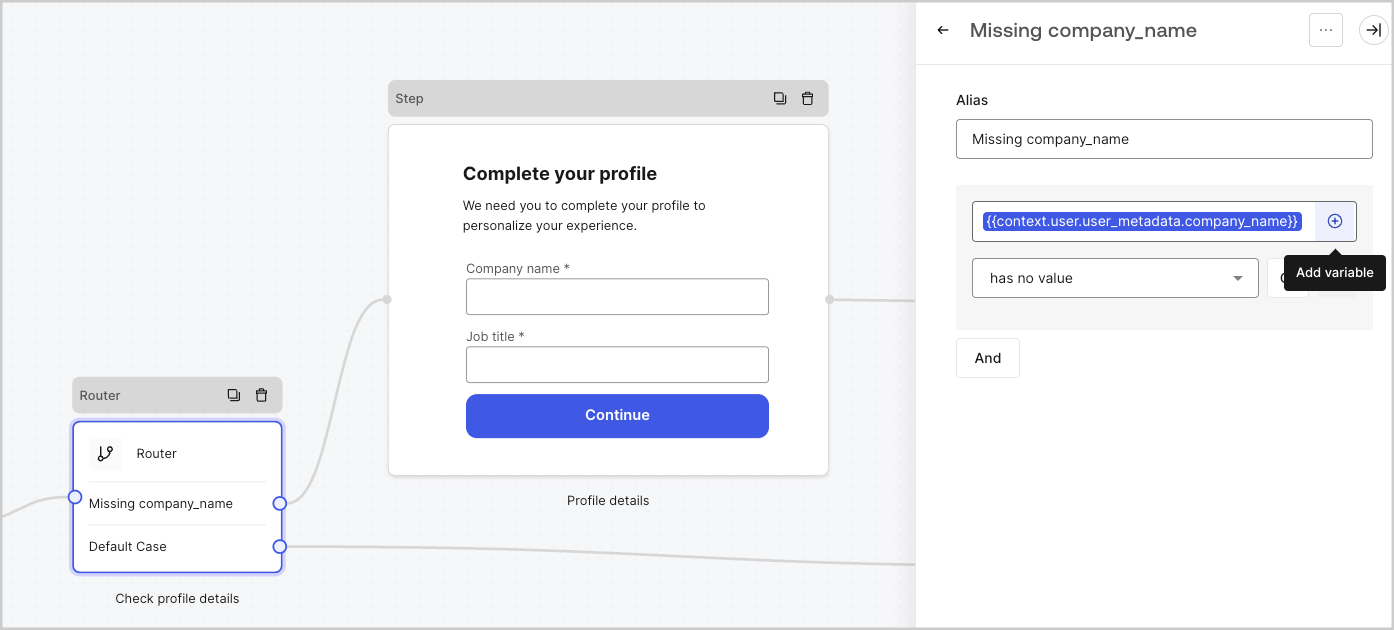
For example:  `{{context.user.user_id}}` references the `user_id` of the `user` object.

<Frame>
  <img src="https://mintcdn.com/docs-staging-docs-add-auth0-cli-management-api-examples/EAZzWoY3NNHfDjTC/docs/images/cdy7uua7fh8z/3B8DRhXO2wGqeqSFb8KbQv/0a61cdbbb7f1d290950a2ddb9857aac3/Contex-variable.png?fit=max&auto=format&n=EAZzWoY3NNHfDjTC&q=85&s=f1aab63f9e4f2f60951816499f81205b" alt="Dashboard > Forms > Flows" data-og-width="1141" width="1141" data-og-height="219" height="219" data-path="docs/images/cdy7uua7fh8z/3B8DRhXO2wGqeqSFb8KbQv/0a61cdbbb7f1d290950a2ddb9857aac3/Contex-variable.png" data-optimize="true" data-opv="3" srcset="https://mintcdn.com/docs-staging-docs-add-auth0-cli-management-api-examples/EAZzWoY3NNHfDjTC/docs/images/cdy7uua7fh8z/3B8DRhXO2wGqeqSFb8KbQv/0a61cdbbb7f1d290950a2ddb9857aac3/Contex-variable.png?w=280&fit=max&auto=format&n=EAZzWoY3NNHfDjTC&q=85&s=b80f774588dcc8caf2931611b08652b2 280w, https://mintcdn.com/docs-staging-docs-add-auth0-cli-management-api-examples/EAZzWoY3NNHfDjTC/docs/images/cdy7uua7fh8z/3B8DRhXO2wGqeqSFb8KbQv/0a61cdbbb7f1d290950a2ddb9857aac3/Contex-variable.png?w=560&fit=max&auto=format&n=EAZzWoY3NNHfDjTC&q=85&s=cdca36090fdfbec847c96d373f46db81 560w, https://mintcdn.com/docs-staging-docs-add-auth0-cli-management-api-examples/EAZzWoY3NNHfDjTC/docs/images/cdy7uua7fh8z/3B8DRhXO2wGqeqSFb8KbQv/0a61cdbbb7f1d290950a2ddb9857aac3/Contex-variable.png?w=840&fit=max&auto=format&n=EAZzWoY3NNHfDjTC&q=85&s=c703316241a6c3d25a6db03f0d485970 840w, https://mintcdn.com/docs-staging-docs-add-auth0-cli-management-api-examples/EAZzWoY3NNHfDjTC/docs/images/cdy7uua7fh8z/3B8DRhXO2wGqeqSFb8KbQv/0a61cdbbb7f1d290950a2ddb9857aac3/Contex-variable.png?w=1100&fit=max&auto=format&n=EAZzWoY3NNHfDjTC&q=85&s=e2dd1b301bb0ff8e4497f39cff479606 1100w, https://mintcdn.com/docs-staging-docs-add-auth0-cli-management-api-examples/EAZzWoY3NNHfDjTC/docs/images/cdy7uua7fh8z/3B8DRhXO2wGqeqSFb8KbQv/0a61cdbbb7f1d290950a2ddb9857aac3/Contex-variable.png?w=1650&fit=max&auto=format&n=EAZzWoY3NNHfDjTC&q=85&s=a9ad427435d4f1b8670cffa93f31c2ec 1650w, https://mintcdn.com/docs-staging-docs-add-auth0-cli-management-api-examples/EAZzWoY3NNHfDjTC/docs/images/cdy7uua7fh8z/3B8DRhXO2wGqeqSFb8KbQv/0a61cdbbb7f1d290950a2ddb9857aac3/Contex-variable.png?w=2500&fit=max&auto=format&n=EAZzWoY3NNHfDjTC&q=85&s=5377da7a3275f63c564c988bf9506939 2500w" />
</Frame>

### Form fields variables

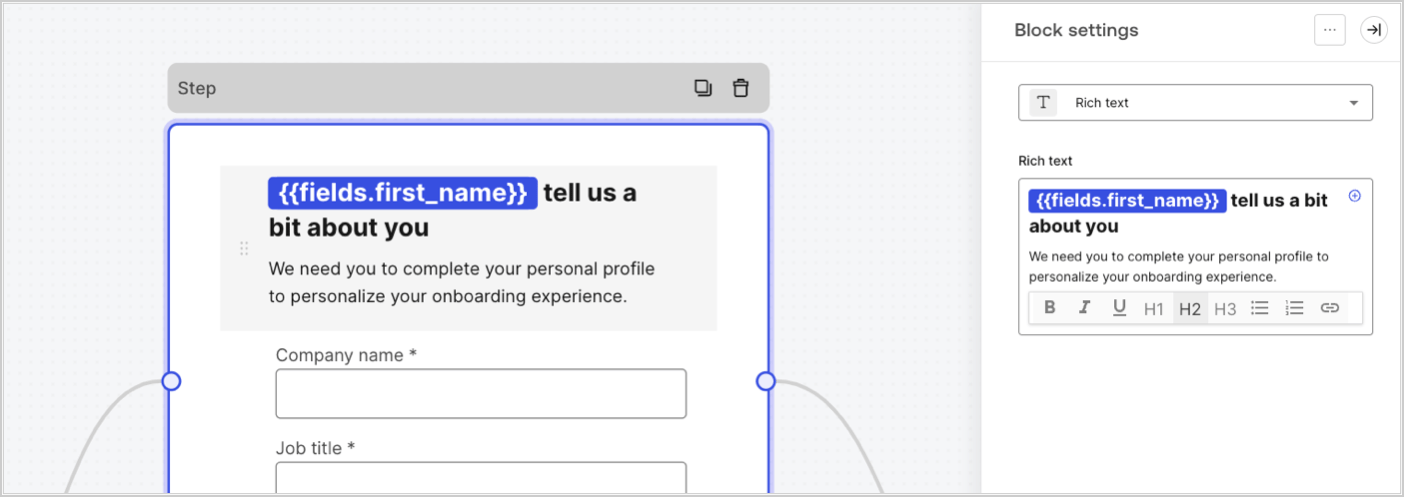
Field variables contain data collected from the user from input fields in the form and data from hidden fields. The data of each field varies depending on the field type. For example: `{{fields.first_name}}` references the input value of a field with the ID `first_name`.
<Frame>
  <img src="https://mintcdn.com/docs-staging-docs-add-auth0-cli-management-api-examples/E_HETZ7StYmjbnQx/docs/images/cdy7uua7fh8z/4D42A6ww4XvFxweoxh04Rd/016c2ed9d25bc2267ed3ed31bf8b2bf6/form-fields-variable.png?fit=max&auto=format&n=E_HETZ7StYmjbnQx&q=85&s=e3a95295bd7e7090e197d48b2b7bcdf0" alt="Dashboard > Actions > Forms > Form" data-og-width="1404" width="1404" data-og-height="497" height="497" data-path="docs/images/cdy7uua7fh8z/4D42A6ww4XvFxweoxh04Rd/016c2ed9d25bc2267ed3ed31bf8b2bf6/form-fields-variable.png" data-optimize="true" data-opv="3" srcset="https://mintcdn.com/docs-staging-docs-add-auth0-cli-management-api-examples/E_HETZ7StYmjbnQx/docs/images/cdy7uua7fh8z/4D42A6ww4XvFxweoxh04Rd/016c2ed9d25bc2267ed3ed31bf8b2bf6/form-fields-variable.png?w=280&fit=max&auto=format&n=E_HETZ7StYmjbnQx&q=85&s=a44adc2e8e1463dda4750946bcb46def 280w, https://mintcdn.com/docs-staging-docs-add-auth0-cli-management-api-examples/E_HETZ7StYmjbnQx/docs/images/cdy7uua7fh8z/4D42A6ww4XvFxweoxh04Rd/016c2ed9d25bc2267ed3ed31bf8b2bf6/form-fields-variable.png?w=560&fit=max&auto=format&n=E_HETZ7StYmjbnQx&q=85&s=5d93439d0b264aa9deb17bcc92a8e7d5 560w, https://mintcdn.com/docs-staging-docs-add-auth0-cli-management-api-examples/E_HETZ7StYmjbnQx/docs/images/cdy7uua7fh8z/4D42A6ww4XvFxweoxh04Rd/016c2ed9d25bc2267ed3ed31bf8b2bf6/form-fields-variable.png?w=840&fit=max&auto=format&n=E_HETZ7StYmjbnQx&q=85&s=e4d81060185ce84df7433424ee3f6580 840w, https://mintcdn.com/docs-staging-docs-add-auth0-cli-management-api-examples/E_HETZ7StYmjbnQx/docs/images/cdy7uua7fh8z/4D42A6ww4XvFxweoxh04Rd/016c2ed9d25bc2267ed3ed31bf8b2bf6/form-fields-variable.png?w=1100&fit=max&auto=format&n=E_HETZ7StYmjbnQx&q=85&s=cfbbe111ad39f6485ecc9e9a34f0f56f 1100w, https://mintcdn.com/docs-staging-docs-add-auth0-cli-management-api-examples/E_HETZ7StYmjbnQx/docs/images/cdy7uua7fh8z/4D42A6ww4XvFxweoxh04Rd/016c2ed9d25bc2267ed3ed31bf8b2bf6/form-fields-variable.png?w=1650&fit=max&auto=format&n=E_HETZ7StYmjbnQx&q=85&s=65cde5f5a4a3debaf45a9e8f846700a7 1650w, https://mintcdn.com/docs-staging-docs-add-auth0-cli-management-api-examples/E_HETZ7StYmjbnQx/docs/images/cdy7uua7fh8z/4D42A6ww4XvFxweoxh04Rd/016c2ed9d25bc2267ed3ed31bf8b2bf6/form-fields-variable.png?w=2500&fit=max&auto=format&n=E_HETZ7StYmjbnQx&q=85&s=47a7c53f27b06b35dbf4e5244f046b97 2500w" />
</Frame>

### Flow output actions variables

When a flow action is executed, it generates an output object response that can be referenced in subsequent actions. For example: `{{actions.generate_otp.code}}` references the output code of the action with ID `generate_otp`.

<Frame>
  <img src="https://mintcdn.com/docs-staging-docs-add-auth0-cli-management-api-examples/08rPOrmgU-lTUmEw/docs/images/cdy7uua7fh8z/6jYtEdYqSGXm3DDv0mxQ0o/2d48012629745e07137bf6ba42f4d829/flow-output-variable.png?fit=max&auto=format&n=08rPOrmgU-lTUmEw&q=85&s=4a113f25cf62b7eddc2afe21710c64e3" alt="Dashboard > Actions > Forms > Flows" data-og-width="1404" width="1404" data-og-height="253" height="253" data-path="docs/images/cdy7uua7fh8z/6jYtEdYqSGXm3DDv0mxQ0o/2d48012629745e07137bf6ba42f4d829/flow-output-variable.png" data-optimize="true" data-opv="3" srcset="https://mintcdn.com/docs-staging-docs-add-auth0-cli-management-api-examples/08rPOrmgU-lTUmEw/docs/images/cdy7uua7fh8z/6jYtEdYqSGXm3DDv0mxQ0o/2d48012629745e07137bf6ba42f4d829/flow-output-variable.png?w=280&fit=max&auto=format&n=08rPOrmgU-lTUmEw&q=85&s=2d5d9a19e2648b3061f13efd60bea596 280w, https://mintcdn.com/docs-staging-docs-add-auth0-cli-management-api-examples/08rPOrmgU-lTUmEw/docs/images/cdy7uua7fh8z/6jYtEdYqSGXm3DDv0mxQ0o/2d48012629745e07137bf6ba42f4d829/flow-output-variable.png?w=560&fit=max&auto=format&n=08rPOrmgU-lTUmEw&q=85&s=0f15f73666e5d96f40df783020db2e4c 560w, https://mintcdn.com/docs-staging-docs-add-auth0-cli-management-api-examples/08rPOrmgU-lTUmEw/docs/images/cdy7uua7fh8z/6jYtEdYqSGXm3DDv0mxQ0o/2d48012629745e07137bf6ba42f4d829/flow-output-variable.png?w=840&fit=max&auto=format&n=08rPOrmgU-lTUmEw&q=85&s=63261d7d3f51dffa1da4e81836ac5d81 840w, https://mintcdn.com/docs-staging-docs-add-auth0-cli-management-api-examples/08rPOrmgU-lTUmEw/docs/images/cdy7uua7fh8z/6jYtEdYqSGXm3DDv0mxQ0o/2d48012629745e07137bf6ba42f4d829/flow-output-variable.png?w=1100&fit=max&auto=format&n=08rPOrmgU-lTUmEw&q=85&s=b4972dcc99e7168ad87652a34f2998bd 1100w, https://mintcdn.com/docs-staging-docs-add-auth0-cli-management-api-examples/08rPOrmgU-lTUmEw/docs/images/cdy7uua7fh8z/6jYtEdYqSGXm3DDv0mxQ0o/2d48012629745e07137bf6ba42f4d829/flow-output-variable.png?w=1650&fit=max&auto=format&n=08rPOrmgU-lTUmEw&q=85&s=ceb4de66c8f101f1c6228c19c1bc9a3b 1650w, https://mintcdn.com/docs-staging-docs-add-auth0-cli-management-api-examples/08rPOrmgU-lTUmEw/docs/images/cdy7uua7fh8z/6jYtEdYqSGXm3DDv0mxQ0o/2d48012629745e07137bf6ba42f4d829/flow-output-variable.png?w=2500&fit=max&auto=format&n=08rPOrmgU-lTUmEw&q=85&s=66ba1472566506cb1715c698eab0e0be 2500w" />
</Frame>

### Shared variables

You can store variables to be shared with subsequent flows or even with form components in the same transaction. Shared variables are ephemeral and are associated with a specific form journey. Their values cannot be accessed outside of that journey. For example: `{{vars.external_id}}` references the value of a shared variable with ID `external_id`.

<Frame>
  <img src="https://mintcdn.com/docs-staging-docs-add-auth0-cli-management-api-examples/E_HETZ7StYmjbnQx/docs/images/cdy7uua7fh8z/4571ExRTHL0KZKJKX9pNwj/abb631b8608a6356b0e5b3784cf8b02f/flow-shared-variable.png?fit=max&auto=format&n=E_HETZ7StYmjbnQx&q=85&s=1632e94bce4ef118fa37f700ddb75bb9" alt="Dashboard > Actions > Forms > Flows" data-og-width="1215" width="1215" data-og-height="162" height="162" data-path="docs/images/cdy7uua7fh8z/4571ExRTHL0KZKJKX9pNwj/abb631b8608a6356b0e5b3784cf8b02f/flow-shared-variable.png" data-optimize="true" data-opv="3" srcset="https://mintcdn.com/docs-staging-docs-add-auth0-cli-management-api-examples/E_HETZ7StYmjbnQx/docs/images/cdy7uua7fh8z/4571ExRTHL0KZKJKX9pNwj/abb631b8608a6356b0e5b3784cf8b02f/flow-shared-variable.png?w=280&fit=max&auto=format&n=E_HETZ7StYmjbnQx&q=85&s=0e9bba851c9c3d05ef8373a75e244891 280w, https://mintcdn.com/docs-staging-docs-add-auth0-cli-management-api-examples/E_HETZ7StYmjbnQx/docs/images/cdy7uua7fh8z/4571ExRTHL0KZKJKX9pNwj/abb631b8608a6356b0e5b3784cf8b02f/flow-shared-variable.png?w=560&fit=max&auto=format&n=E_HETZ7StYmjbnQx&q=85&s=cd4e3749d7a961a45227effcfce2f2e6 560w, https://mintcdn.com/docs-staging-docs-add-auth0-cli-management-api-examples/E_HETZ7StYmjbnQx/docs/images/cdy7uua7fh8z/4571ExRTHL0KZKJKX9pNwj/abb631b8608a6356b0e5b3784cf8b02f/flow-shared-variable.png?w=840&fit=max&auto=format&n=E_HETZ7StYmjbnQx&q=85&s=459de43f32d6148eed510c4b2aec0ca8 840w, https://mintcdn.com/docs-staging-docs-add-auth0-cli-management-api-examples/E_HETZ7StYmjbnQx/docs/images/cdy7uua7fh8z/4571ExRTHL0KZKJKX9pNwj/abb631b8608a6356b0e5b3784cf8b02f/flow-shared-variable.png?w=1100&fit=max&auto=format&n=E_HETZ7StYmjbnQx&q=85&s=d1941459f10e9e74a7f1722f7d9eb3a6 1100w, https://mintcdn.com/docs-staging-docs-add-auth0-cli-management-api-examples/E_HETZ7StYmjbnQx/docs/images/cdy7uua7fh8z/4571ExRTHL0KZKJKX9pNwj/abb631b8608a6356b0e5b3784cf8b02f/flow-shared-variable.png?w=1650&fit=max&auto=format&n=E_HETZ7StYmjbnQx&q=85&s=fc3159d78d0f760b95f9d345af94ed62 1650w, https://mintcdn.com/docs-staging-docs-add-auth0-cli-management-api-examples/E_HETZ7StYmjbnQx/docs/images/cdy7uua7fh8z/4571ExRTHL0KZKJKX9pNwj/abb631b8608a6356b0e5b3784cf8b02f/flow-shared-variable.png?w=2500&fit=max&auto=format&n=E_HETZ7StYmjbnQx&q=85&s=bb5a9a4049f171aed65dd1c8f5149f22 2500w" />
</Frame>

<Warning>
  Shared variables:

  * are internal (server-side) and not exposed to the browser (client-side).
  * can be resolved and exposed to the browser if you referenced a shared variable in the form component.
  * might have sensitive information, so take care when you access shared variable to avoid any unnecessary or unintentional exposure.
</Warning>

### Helper functions

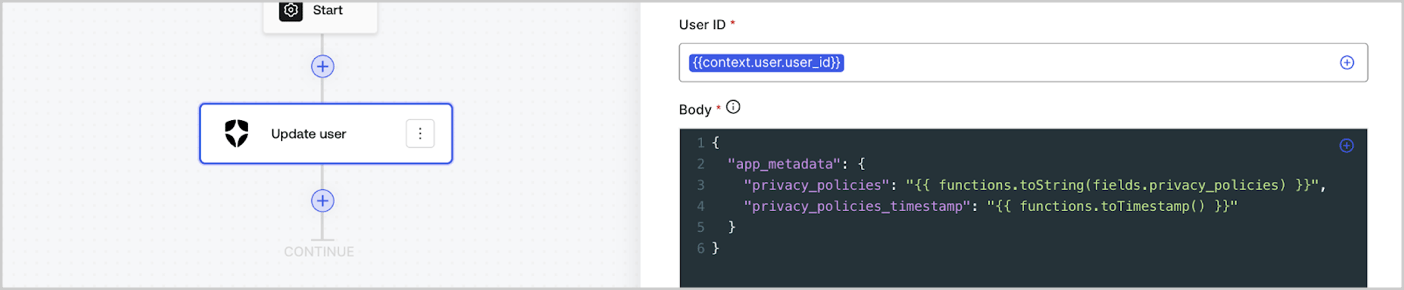
Helper functions let you transform data and perform simple operations. For example: `{{functions.toString(fields.privacy_policies)}}` transform the value of the field with ID `privacy_policies` using the `toString()` function.
<Frame>
  <img src="https://mintcdn.com/docs-staging-docs-add-auth0-cli-management-api-examples/IXSydCfMxe30z71m/docs/images/cdy7uua7fh8z/1gyox33XJEtdkT43NppblT/0e878cc5ae2bde11b4207e105bbac6c5/flow-helper-functions.png?fit=max&auto=format&n=IXSydCfMxe30z71m&q=85&s=7930d12f3c772dece19c57b3a825f526" alt="Dashboard > Actions > Forms > Flows" data-og-width="1404" width="1404" data-og-height="290" height="290" data-path="docs/images/cdy7uua7fh8z/1gyox33XJEtdkT43NppblT/0e878cc5ae2bde11b4207e105bbac6c5/flow-helper-functions.png" data-optimize="true" data-opv="3" srcset="https://mintcdn.com/docs-staging-docs-add-auth0-cli-management-api-examples/IXSydCfMxe30z71m/docs/images/cdy7uua7fh8z/1gyox33XJEtdkT43NppblT/0e878cc5ae2bde11b4207e105bbac6c5/flow-helper-functions.png?w=280&fit=max&auto=format&n=IXSydCfMxe30z71m&q=85&s=2f43f6d6da105032a413f8a47bb7e8c8 280w, https://mintcdn.com/docs-staging-docs-add-auth0-cli-management-api-examples/IXSydCfMxe30z71m/docs/images/cdy7uua7fh8z/1gyox33XJEtdkT43NppblT/0e878cc5ae2bde11b4207e105bbac6c5/flow-helper-functions.png?w=560&fit=max&auto=format&n=IXSydCfMxe30z71m&q=85&s=d6d1f0501e64f3190ef6a9cebe96a76f 560w, https://mintcdn.com/docs-staging-docs-add-auth0-cli-management-api-examples/IXSydCfMxe30z71m/docs/images/cdy7uua7fh8z/1gyox33XJEtdkT43NppblT/0e878cc5ae2bde11b4207e105bbac6c5/flow-helper-functions.png?w=840&fit=max&auto=format&n=IXSydCfMxe30z71m&q=85&s=26fe5ee89af2d685324685cfbdf8af37 840w, https://mintcdn.com/docs-staging-docs-add-auth0-cli-management-api-examples/IXSydCfMxe30z71m/docs/images/cdy7uua7fh8z/1gyox33XJEtdkT43NppblT/0e878cc5ae2bde11b4207e105bbac6c5/flow-helper-functions.png?w=1100&fit=max&auto=format&n=IXSydCfMxe30z71m&q=85&s=d487e808330e804fd01bd7cf5fe27cda 1100w, https://mintcdn.com/docs-staging-docs-add-auth0-cli-management-api-examples/IXSydCfMxe30z71m/docs/images/cdy7uua7fh8z/1gyox33XJEtdkT43NppblT/0e878cc5ae2bde11b4207e105bbac6c5/flow-helper-functions.png?w=1650&fit=max&auto=format&n=IXSydCfMxe30z71m&q=85&s=072e96cea7279d8442458ff4d280a419 1650w, https://mintcdn.com/docs-staging-docs-add-auth0-cli-management-api-examples/IXSydCfMxe30z71m/docs/images/cdy7uua7fh8z/1gyox33XJEtdkT43NppblT/0e878cc5ae2bde11b4207e105bbac6c5/flow-helper-functions.png?w=2500&fit=max&auto=format&n=IXSydCfMxe30z71m&q=85&s=feb63e713c1f8221027cf16c9d425e8b 2500w" />
</Frame>

The available helper functions are:

| Function                                 | Description                                                                                                                                                                                                                                                              | Example                                                                                                          |
| ---------------------------------------- | ------------------------------------------------------------------------------------------------------------------------------------------------------------------------------------------------------------------------------------------------------------------------ | ---------------------------------------------------------------------------------------------------------------- |
| `toArray(value)`                         | Converts value to an array.                                                                                                                                                                                                                                              | `{{ functions.toArray('abc') }} // ['abc']`                                                                      |
| `toBoolean(value)`                       | Converts value to a boolean value.                                                                                                                                                                                                                                       | `{{ functions.toBoolean(1) }} // true&lt;br /&gt;&lt;br /&gt;\{\{ functions.toBoolean(0) }} // false`            |
| `length(value)`                          | Returns the length of the parameter value.                                                                                                                                                                                                                               | `{{ functions.length('auth0') }} // 5`                                                                           |
| `mask(value)`                            | Masks a value to avoid be exposed in Executions.                                                                                                                                                                                                                         | `{{ functions.mask('my_awesome_secret') }} // ███`                                                               |
| `toNumber(value)`                        | Converts value to a number.                                                                                                                                                                                                                                              | `{{ functions.toNumber('123') }} // 123`                                                                         |
| `random(min, max, [boolean])`            | Returns a random number between the inclusive min and max.                                                                                                                                                                                                               | `{{ functions.random(0, 6) }} // 4 &lt;br /&gt;&lt;br /&gt;\{\{ functions.random(0, 6, true) }} // 3.8523497...` |
| `slice(value, start, end)`               | Returns a section of a value array or string between the start and end indexes.                                                                                                                                                                                          | `{{ functions.slice( 'example', 3, 5) }} // 'mp'`                                                                |
| `toString(value)`                        | Converts value to a string.                                                                                                                                                                                                                                              | `{{ functions.toString(123) }} // '123'`                                                                         |
| `substring(value, start, end)`           | Returns a section of a value between the start and end indexes. Read about the [differences of slice and substring functions](https://developer.mozilla.org/en-US/docs/Web/JavaScript/Reference/Global_Objects/String/substring#differences_between_substring_and_slice) | `{{ functions.substring( 'example’', 3, 5) }} // 'mp'`                                                           |
| `toTimestamp()`                          | Returns the current UNIX timestamp.                                                                                                                                                                                                                                      | `{{ functions.toTimestamp() }} // 1628761483`                                                                    |
| `toTimestamp(date)`                      | Returns the provided date in UNIX time.                                                                                                                                                                                                                                  | `{{ functions.toTimestamp('2021-04-30T10:02:50.876Z') }} // 1619776970`                                          |
| `toTimestamp(date)`                      | Returns the provided date in UNIX time.                                                                                                                                                                                                                                  | `{{ functions.toTimestamp('2021-04-30T10:02:50.876Z') }} // 1619776970`                                          |
| `toLowerCase(value)`                     | Returns a new string transformed to lowercase.                                                                                                                                                                                                                           | `{{ functions.toLowerCase('JohnDoe 1234') }} // johndoe 1234`                                                    |
| `toUpperCase(value)`                     | Returns a new string transformed to uppercase.                                                                                                                                                                                                                           | `{{ functions.toUpperCase('JohnDoe 1234') }} // JOHNDOE 1234`                                                    |
| `replaceAll(value, string, replacement)` | Returns a new string with all matches of a pattern replaced by a replacement.                                                                                                                                                                                            | `{{ functions.replaceAll('2021-04-30', '-', '/') }} // 2021/04/30`                                               |
| `replace(value, string, replacement)`    | Returns a new string with all matches of a pattern replaced by a replacement. If pattern is a string, only the first occurence will be replaced.                                                                                                                         | `{{ functions.replace('2021-04-30', '-', '/') }} // 2021/04-30`                                                  |
| `split(value, separator, limit?)`        | Returns an ordered list of substrings divided by the separator.                                                                                                                                                                                                          | `{{ functions.split('2021-04-30', '-') }} // ['2021', '04', '30']`                                               |
| `now()`                                  | Returns the current date in ISO 8601 format.                                                                                                                                                                                                                             | `{{ functions.now() }} // 2021-04-30T10:31:28.576Z`                                                              |
| `includes(collection, item, fromIndex?)` | Returns whether an array includes a certain value among its entries.                                                                                                                                                                                                     | `{{ functions.includes(['auth0', 'identity', 'authentication'], 'identity') }} // true`                          |
| `indexOf(collection, item, fromIndex?)`  | Returns the first index at which a given element can be found in the array, or -1 if it is not present.                                                                                                                                                                  | `{{ functions.indexOf(['auth0', 'identity', 'authentication'], 'identity') }} // 1`                              |
| `merge(base, value)`                     | Returns a merged array, object or concatenates a string depending on the base data type.                                                                                                                                                                                 | `{{ functions.merge(['auth0', 'identity'], ['authentication']) }} // ['auth0', 'identity', 'authentication']`    |
| `md5(value)`                             | Returns a MD5 hashed value.                                                                                                                                                                                                                                              | `{{ functions.md5('auth0') }} // 7bbb597...`                                                                     |
| `sha1(value)`                            | Returns a SHA1 hashed value.                                                                                                                                                                                                                                             | `{{ functions.sha1('auth0') }} // b4ec5339...`                                                                   |
| `sha256(value)`                          | Returns a SHA256 hashed value.                                                                                                                                                                                                                                           | `{{ functions.sha256('auth0') }} // d9082bdc...`                                                                 |
| `sha512(value)`                          | Returns a SHA512 hashed value.                                                                                                                                                                                                                                           | `{{ functions.sha512('auth0') }} // c0d588069d...`                                                               |
| `uuid()`                                 | Returns a random v4 UUID.                                                                                                                                                                                                                                                | `{{ functions.uuid() }} // 36b8f84d-df4e-4d49-b662-bcde71a8764`                                                  |

## Variables best practices

### Use meaningful IDs

When you add a Form field or a Flow action, the ID is automatically generated.

Update the ID to a more descriptive value so you can identify the information it contains. For example, if you create a Form field that stores the user’s first name, update the ID to `first_name`.

### Be mindful when updating existing IDs

If a variable is already in use and you need to modify the ID, identify where you have referenced it and update the ID accordingly to avoid undefined or empty values.

### Check Flow executions

If you see an unexpected variable value, use the [**Executions**](/docs/customize/forms/flows/flow-execution-and-debugger) view to troubleshoot the variable.

### Use the autocomplete menu

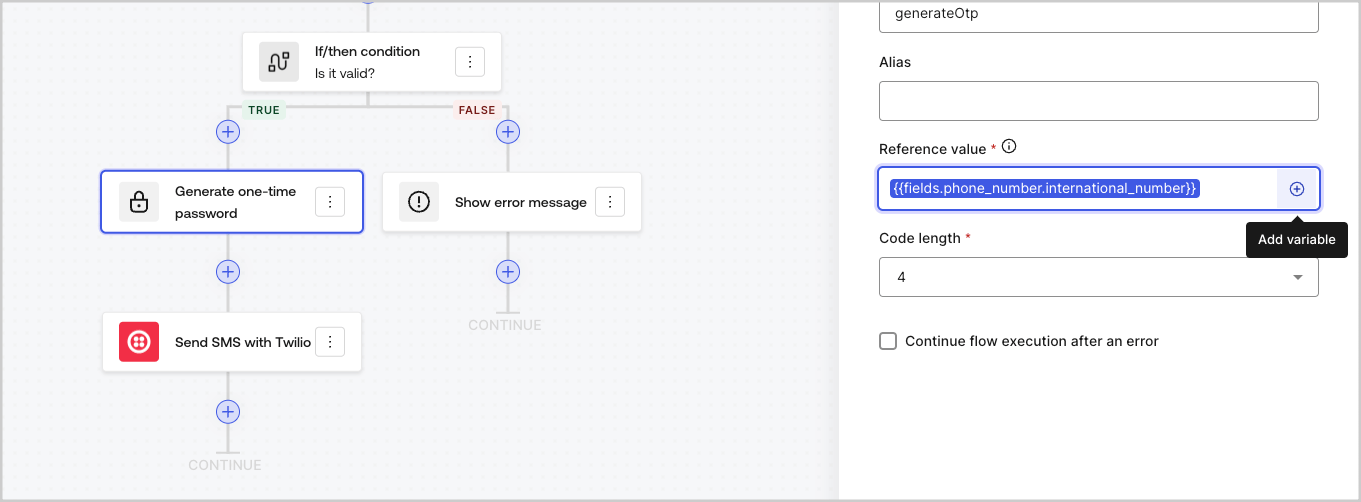
The autocomplete menu helps you locate and properly reference existing variables.
<Frame>
  <img src="https://mintcdn.com/docs-staging-docs-add-auth0-cli-management-api-examples/EAZzWoY3NNHfDjTC/docs/images/cdy7uua7fh8z/3SKnDuaMzSImxZtDDAoZaz/9ea800fad29ef71d1ded3c72b87660a4/Autocomplete-flows.png?fit=max&auto=format&n=EAZzWoY3NNHfDjTC&q=85&s=0644eed215823b222ffa56dbc29bc823" alt="Dashboard > Actions > Forms > Flows" data-og-width="1361" width="1361" data-og-height="502" height="502" data-path="docs/images/cdy7uua7fh8z/3SKnDuaMzSImxZtDDAoZaz/9ea800fad29ef71d1ded3c72b87660a4/Autocomplete-flows.png" data-optimize="true" data-opv="3" srcset="https://mintcdn.com/docs-staging-docs-add-auth0-cli-management-api-examples/EAZzWoY3NNHfDjTC/docs/images/cdy7uua7fh8z/3SKnDuaMzSImxZtDDAoZaz/9ea800fad29ef71d1ded3c72b87660a4/Autocomplete-flows.png?w=280&fit=max&auto=format&n=EAZzWoY3NNHfDjTC&q=85&s=f21f9dc674d27e94165ec74e4e947499 280w, https://mintcdn.com/docs-staging-docs-add-auth0-cli-management-api-examples/EAZzWoY3NNHfDjTC/docs/images/cdy7uua7fh8z/3SKnDuaMzSImxZtDDAoZaz/9ea800fad29ef71d1ded3c72b87660a4/Autocomplete-flows.png?w=560&fit=max&auto=format&n=EAZzWoY3NNHfDjTC&q=85&s=01e966190660a582ebb990beab3bb377 560w, https://mintcdn.com/docs-staging-docs-add-auth0-cli-management-api-examples/EAZzWoY3NNHfDjTC/docs/images/cdy7uua7fh8z/3SKnDuaMzSImxZtDDAoZaz/9ea800fad29ef71d1ded3c72b87660a4/Autocomplete-flows.png?w=840&fit=max&auto=format&n=EAZzWoY3NNHfDjTC&q=85&s=f858edc4ae29fa6d25c8c7ded4ae4110 840w, https://mintcdn.com/docs-staging-docs-add-auth0-cli-management-api-examples/EAZzWoY3NNHfDjTC/docs/images/cdy7uua7fh8z/3SKnDuaMzSImxZtDDAoZaz/9ea800fad29ef71d1ded3c72b87660a4/Autocomplete-flows.png?w=1100&fit=max&auto=format&n=EAZzWoY3NNHfDjTC&q=85&s=b748cceaa5e46dcf0957a1f237e6d94b 1100w, https://mintcdn.com/docs-staging-docs-add-auth0-cli-management-api-examples/EAZzWoY3NNHfDjTC/docs/images/cdy7uua7fh8z/3SKnDuaMzSImxZtDDAoZaz/9ea800fad29ef71d1ded3c72b87660a4/Autocomplete-flows.png?w=1650&fit=max&auto=format&n=EAZzWoY3NNHfDjTC&q=85&s=529bb32198e8a24222a70c077f3b2c10 1650w, https://mintcdn.com/docs-staging-docs-add-auth0-cli-management-api-examples/EAZzWoY3NNHfDjTC/docs/images/cdy7uua7fh8z/3SKnDuaMzSImxZtDDAoZaz/9ea800fad29ef71d1ded3c72b87660a4/Autocomplete-flows.png?w=2500&fit=max&auto=format&n=EAZzWoY3NNHfDjTC&q=85&s=dded8c1b38fac7b0469d5bf912cdf668 2500w" />
</Frame>

<Frame>
  <img src="https://mintcdn.com/docs-staging-docs-add-auth0-cli-management-api-examples/EAZzWoY3NNHfDjTC/docs/images/cdy7uua7fh8z/2kjRKozVgrd2a7UJXOANaN/ee5452d7210cd2f13b0e97763f11c82a/Autocomplete-forms.png?fit=max&auto=format&n=EAZzWoY3NNHfDjTC&q=85&s=2be29e7c2c10a3e5c33c590bc0072fab" alt="Dashboard > Actions > Forms > Form" data-og-width="1394" width="1394" data-og-height="630" height="630" data-path="docs/images/cdy7uua7fh8z/2kjRKozVgrd2a7UJXOANaN/ee5452d7210cd2f13b0e97763f11c82a/Autocomplete-forms.png" data-optimize="true" data-opv="3" srcset="https://mintcdn.com/docs-staging-docs-add-auth0-cli-management-api-examples/EAZzWoY3NNHfDjTC/docs/images/cdy7uua7fh8z/2kjRKozVgrd2a7UJXOANaN/ee5452d7210cd2f13b0e97763f11c82a/Autocomplete-forms.png?w=280&fit=max&auto=format&n=EAZzWoY3NNHfDjTC&q=85&s=223600bff4a66152806118f1cd2ca249 280w, https://mintcdn.com/docs-staging-docs-add-auth0-cli-management-api-examples/EAZzWoY3NNHfDjTC/docs/images/cdy7uua7fh8z/2kjRKozVgrd2a7UJXOANaN/ee5452d7210cd2f13b0e97763f11c82a/Autocomplete-forms.png?w=560&fit=max&auto=format&n=EAZzWoY3NNHfDjTC&q=85&s=5e021006263ff032d2537311fbc92bf0 560w, https://mintcdn.com/docs-staging-docs-add-auth0-cli-management-api-examples/EAZzWoY3NNHfDjTC/docs/images/cdy7uua7fh8z/2kjRKozVgrd2a7UJXOANaN/ee5452d7210cd2f13b0e97763f11c82a/Autocomplete-forms.png?w=840&fit=max&auto=format&n=EAZzWoY3NNHfDjTC&q=85&s=8280f945eaa6bf829d1ce60a33c7ffd3 840w, https://mintcdn.com/docs-staging-docs-add-auth0-cli-management-api-examples/EAZzWoY3NNHfDjTC/docs/images/cdy7uua7fh8z/2kjRKozVgrd2a7UJXOANaN/ee5452d7210cd2f13b0e97763f11c82a/Autocomplete-forms.png?w=1100&fit=max&auto=format&n=EAZzWoY3NNHfDjTC&q=85&s=2e5641b592c342011ac595aa0e80df5a 1100w, https://mintcdn.com/docs-staging-docs-add-auth0-cli-management-api-examples/EAZzWoY3NNHfDjTC/docs/images/cdy7uua7fh8z/2kjRKozVgrd2a7UJXOANaN/ee5452d7210cd2f13b0e97763f11c82a/Autocomplete-forms.png?w=1650&fit=max&auto=format&n=EAZzWoY3NNHfDjTC&q=85&s=9341996552febe4dfe01c63901e458c7 1650w, https://mintcdn.com/docs-staging-docs-add-auth0-cli-management-api-examples/EAZzWoY3NNHfDjTC/docs/images/cdy7uua7fh8z/2kjRKozVgrd2a7UJXOANaN/ee5452d7210cd2f13b0e97763f11c82a/Autocomplete-forms.png?w=2500&fit=max&auto=format&n=EAZzWoY3NNHfDjTC&q=85&s=240861af50479dc8188bb1b14836a9e4 2500w" />
</Frame>